Omni
Partner Integration
Omni can connect to ClickHouse Cloud or on-premise deployment via the official ClickHouse data source.
1. Gather your connection details
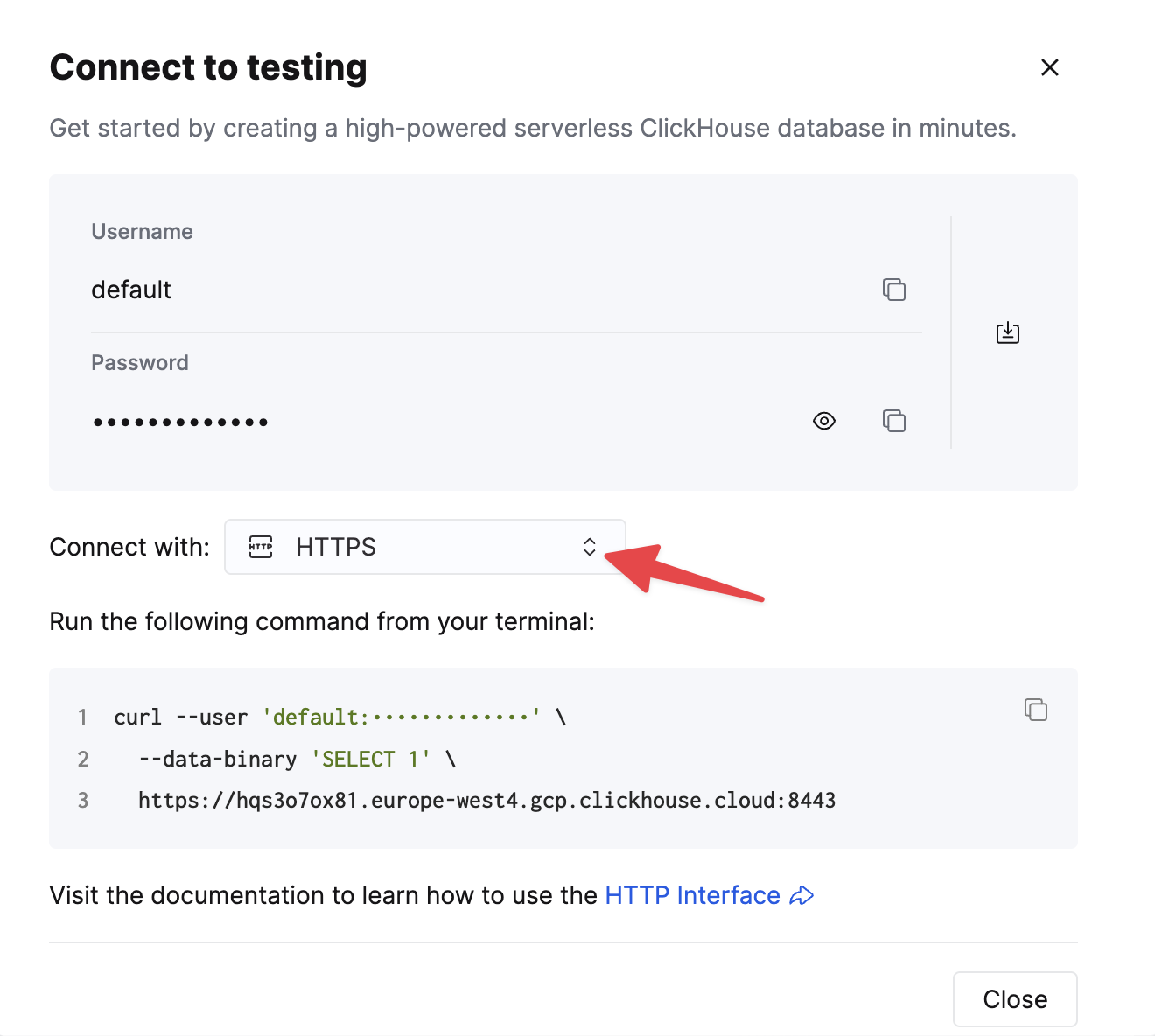
To connect to ClickHouse with HTTP(S) you need this information:
| Parameter(s) | Description |
|---|---|
HOST and PORT | Typically, the port is 8443 when using TLS or 8123 when not using TLS. |
DATABASE NAME | Out of the box, there is a database named default, use the name of the database that you want to connect to. |
USERNAME and PASSWORD | Out of the box, the username is default. Use the username appropriate for your use case. |
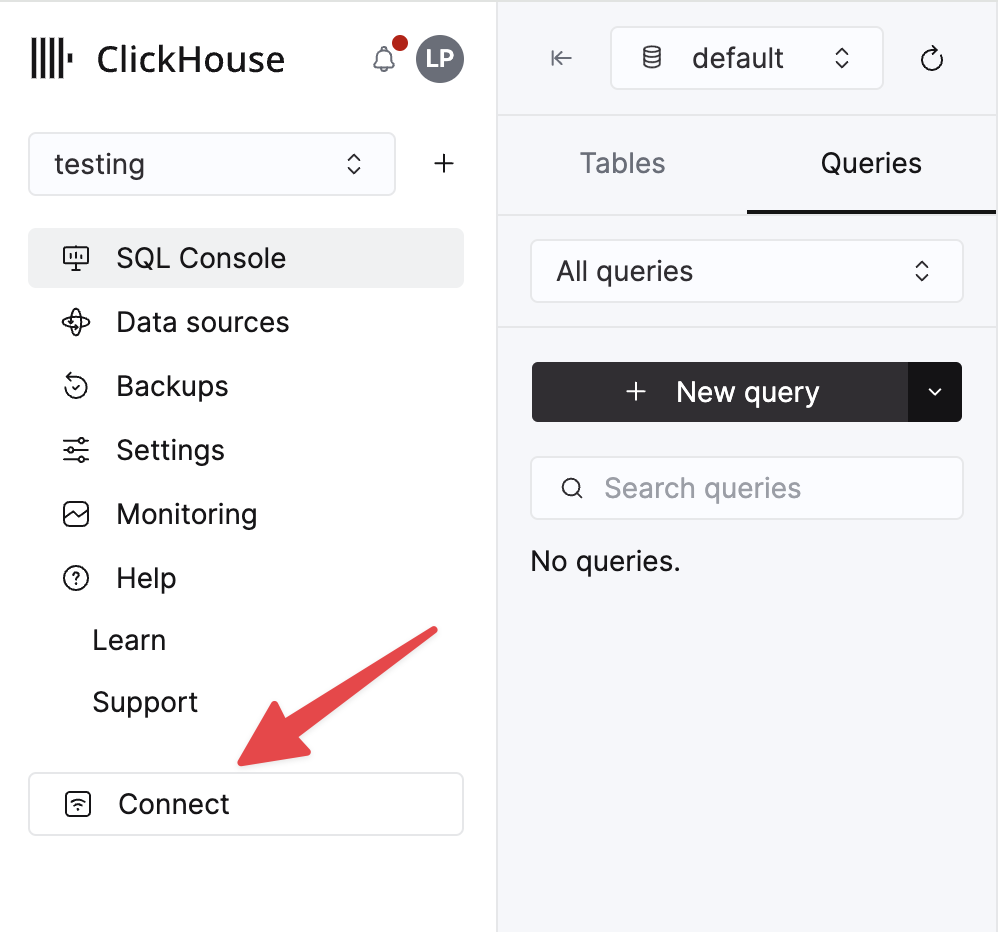
The details for your ClickHouse Cloud service are available in the ClickHouse Cloud console. Select a service and click Connect:
Choose HTTPS. Connection details are displayed in an example curl command.
If you are using self-managed ClickHouse, the connection details are set by your ClickHouse administrator.
2. Create a ClickHouse data source
Navigate to Admin -> Connections and click the "Add Connection" button in the top right corner.
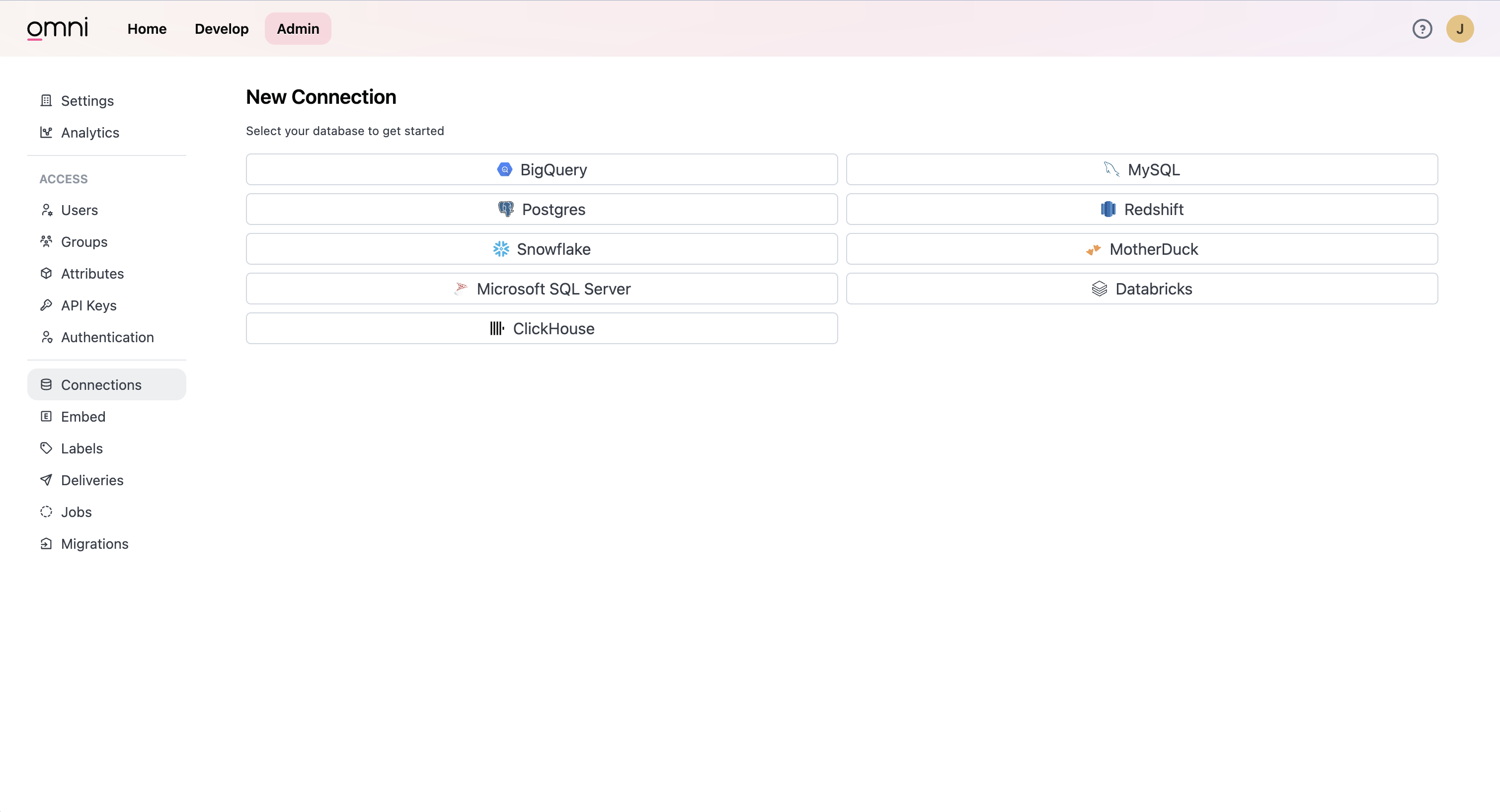
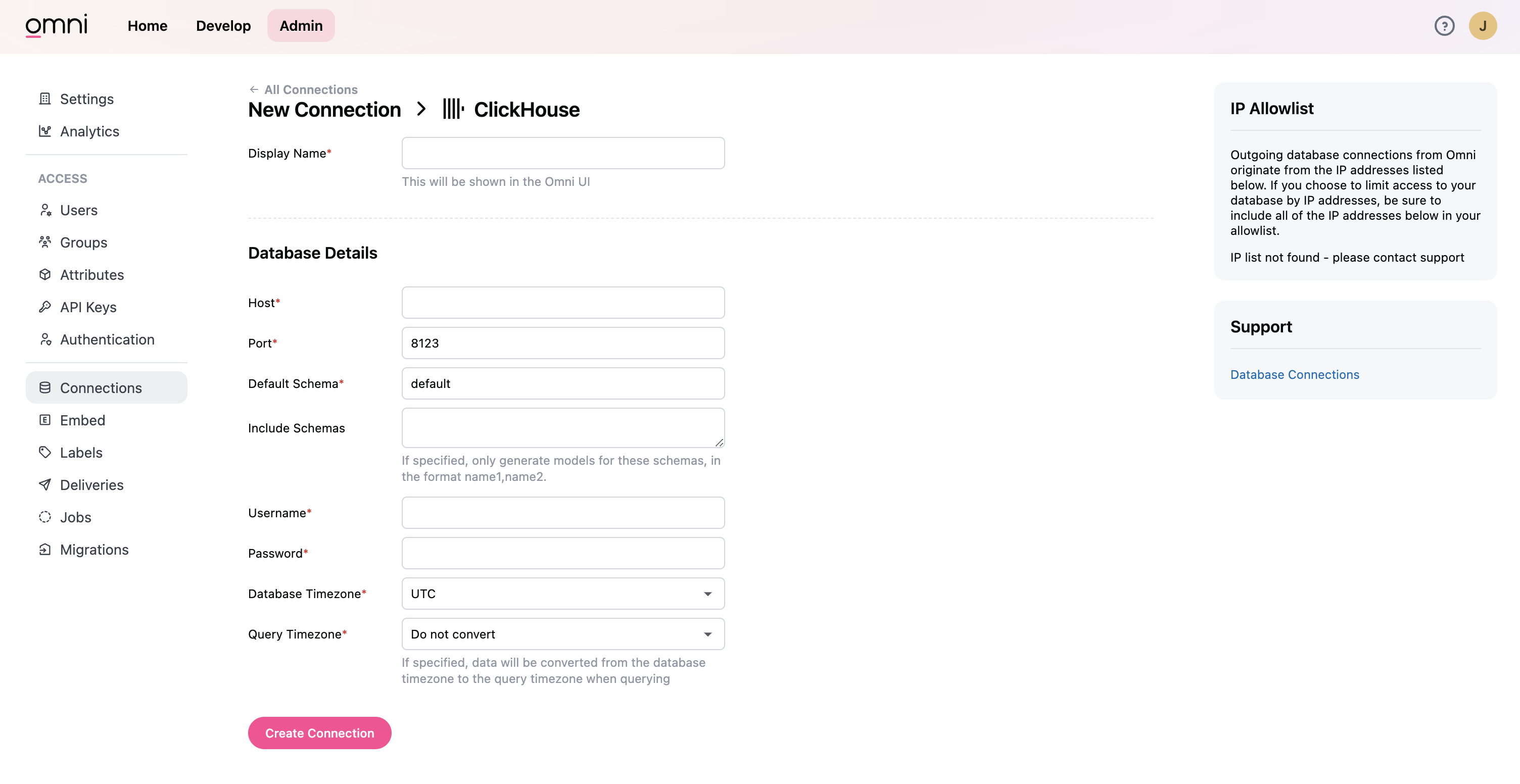
Select ClickHouse. Enter your credentials in the form.
Now you should can query and visualize data from ClickHouse in Omni.
